Imagine you need to find a dental clinic near your home.
Until recently, the usual approach was to open Google, search for "dentists near me", check the ratings, compare locations and visit the clinics' websites.
But now there is another option.
You can open ChatGPT and ask:
"I need a dental clinic that is open on Saturdays, is close to my location and has information available about orthodontic treatments. What options could I consider?"
Artificial intelligence can help you explore alternatives through a conversation.
And this raises an interesting question for any business:
If people start looking for businesses using ChatGPT, how can a brand manage the information that appears about it?
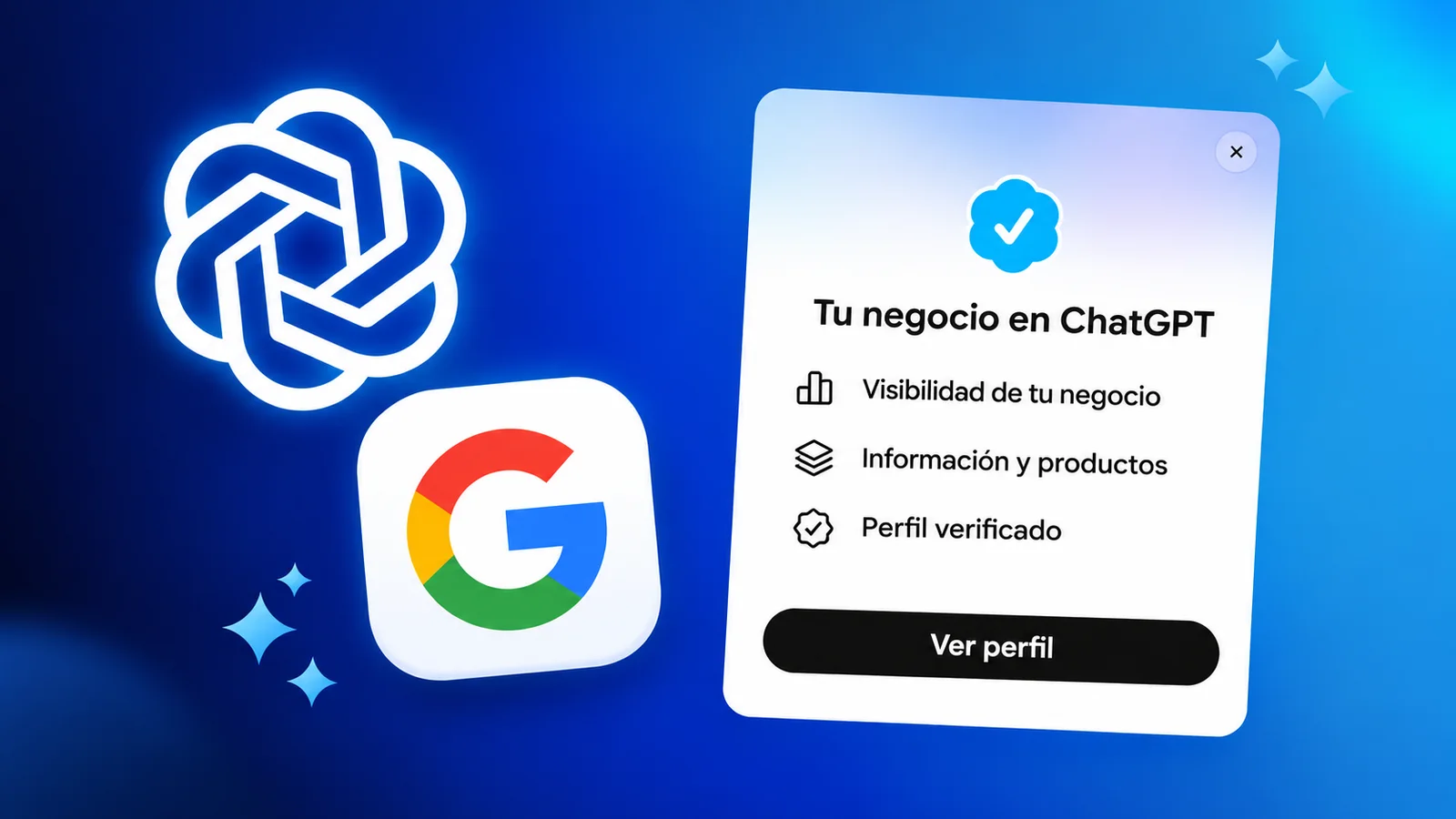
On November 10, 2026, OpenAI announced in beta a new feature called Businesses in ChatGPT, which includes a management tool known as Business Hub.
Its goal is to let eligible businesses claim their profiles, keep their information up to date and better understand how they appear in ChatGPT.
This could change the way some people discover products and services.
But are we really looking at a replacement for Google Business Profile?
Let's review what was announced, how it works and what businesses should do.
What is ChatGPT Business Hub?
ChatGPT Business Hub is an OpenAI tool that lets business owners and authorized representatives manage certain business information within ChatGPT.
Its launch was officially announced on November 10, 2026, as part of the introduction of Businesses in ChatGPT, which is in beta.
According to OpenAI, eligible businesses can claim their profile and, after completing the required verifications, update information, connect product catalogs and view certain insights.
Until then, many businesses relied mainly on whatever information ChatGPT could obtain from their website and other sources.
Business Hub introduces a way to take a direct part in managing certain business data within that experience.
This does not mean a business can control every answer ChatGPT generates about it.
OpenAI notes that ChatGPT retains the ability to make independent recommendations and comparisons.
So Business Hub should be understood as a tool for managing business information, not as a guarantee of appearing first in recommendations.
It should not be confused with ChatGPT Business, which is a ChatGPT plan for work teams, or with Business Agents, which are conversational business agents and have their own availability.
Official source: OpenAI — Introducing Businesses in ChatGPT.
Why does this news matter for businesses?
Because the way we look for information is evolving.
In a traditional search, we usually type keywords and review a list of results.
For example:
"Italian restaurants in Santiago".
In a conversation with AI, we can express more specific needs:
"I want an Italian restaurant to celebrate an anniversary, with vegetarian options and a quiet atmosphere. What places could I look at?"
The second request contains more context.
The system can try to interpret what the person really needs and present related options.
That creates a new scenario for businesses.
It is no longer enough to think only about how a web page appears in a list of results.
How a business is described when someone asks an artificial intelligence for recommendations may also be relevant.
That is why local marketing professionals, such as the team at BrightLocal in its independent analysis, are already following this tool closely.
With Business Hub, eligible businesses have a place to provide up-to-date information about what they do.
However, there is not yet enough evidence to claim that this tool will replace traditional search or that signing up will automatically increase sales.
It is a new opportunity, not a guaranteed business result.
What can businesses do with Business Hub?
The launch includes several capabilities.
1. Claim a business profile
Eligible businesses can search for their business within Business Hub and request to manage it.
To do so, they must be the owner or be authorized to represent the business.
OpenAI sets out verification processes to confirm that relationship.
Once the claim is approved, the business can access its profile management.
But there is a difference between claiming the business and completing the identity verification required to edit certain information.
According to the official documentation, some features require additional verification through Persona.
2. Update business information
After completing the corresponding verifications, businesses can manage certain data, such as their website, business description, product or service category, logo and business policies.
They can also add a cover image and other supported details.
This can be useful when a business changes its services, modifies its return policies or needs to correct outdated information.
However, changes may be subject to review and take time to show up.
In addition, ChatGPT may use information from other sources when answering questions.
The Businesses in ChatGPT terms state that OpenAI may supplement, edit or replace the information submitted with other sources, or decide not to display it.
So it is not wise to assume that editing a profile will immediately change every answer related to the business.
3. Connect product information
Businesses that sell products can connect catalogs with data such as prices and availability, as long as they meet the applicable requirements.
For example, a tech store could share structured information about its products.
This helps keep business data available for certain search and discovery experiences.
OpenAI also provides for connections with Shopify and supported product files.
But connecting a catalog does not mean every product will appear in ChatGPT's answers.
The documentation expressly states that this integration does not guarantee recommendations.
4. View visibility insights
One of the most interesting features of Business Hub is its statistics section, known as Insights.
It lets you view aggregated information about how a business appears in ChatGPT.
The documented metrics include mentions, clicks to the website and discovery topics.
The data covers a window of the last 28 days.
This offers a way to observe certain interactions related to a business's presence.
However, the metrics need to be interpreted correctly.
For example, a mention does not necessarily represent a website visit or a sale.
Nor can we assume that every conversation about a brand will be reflected in the insights.
OpenAI applies thresholds and restrictions to protect user privacy.
5. Create a customer service agent for your business
Another new feature is Business Agents, or business agents.
These are conversational experiences in which customers can ask questions to an agent that represents a business.
For example, a customer interested in buying a computer could ask about product features, shipping policies or the differences between alternatives.
The agent can use information provided by the business to answer within its configured capabilities, and it must comply with the Business Agents policy, which requires, among other things, representing the business honestly.
But this feature has additional requirements.
At launch, Business Agents are available to certain e-commerce and online-service businesses in the United States that meet the established conditions.
Availability to claim profiles should not be confused with availability to publish agents.
Source: OpenAI — Setting up your business on ChatGPT.
ChatGPT Business Hub vs. Google Business Profile: what's the difference?
This is probably the comparison that generates the most interest.
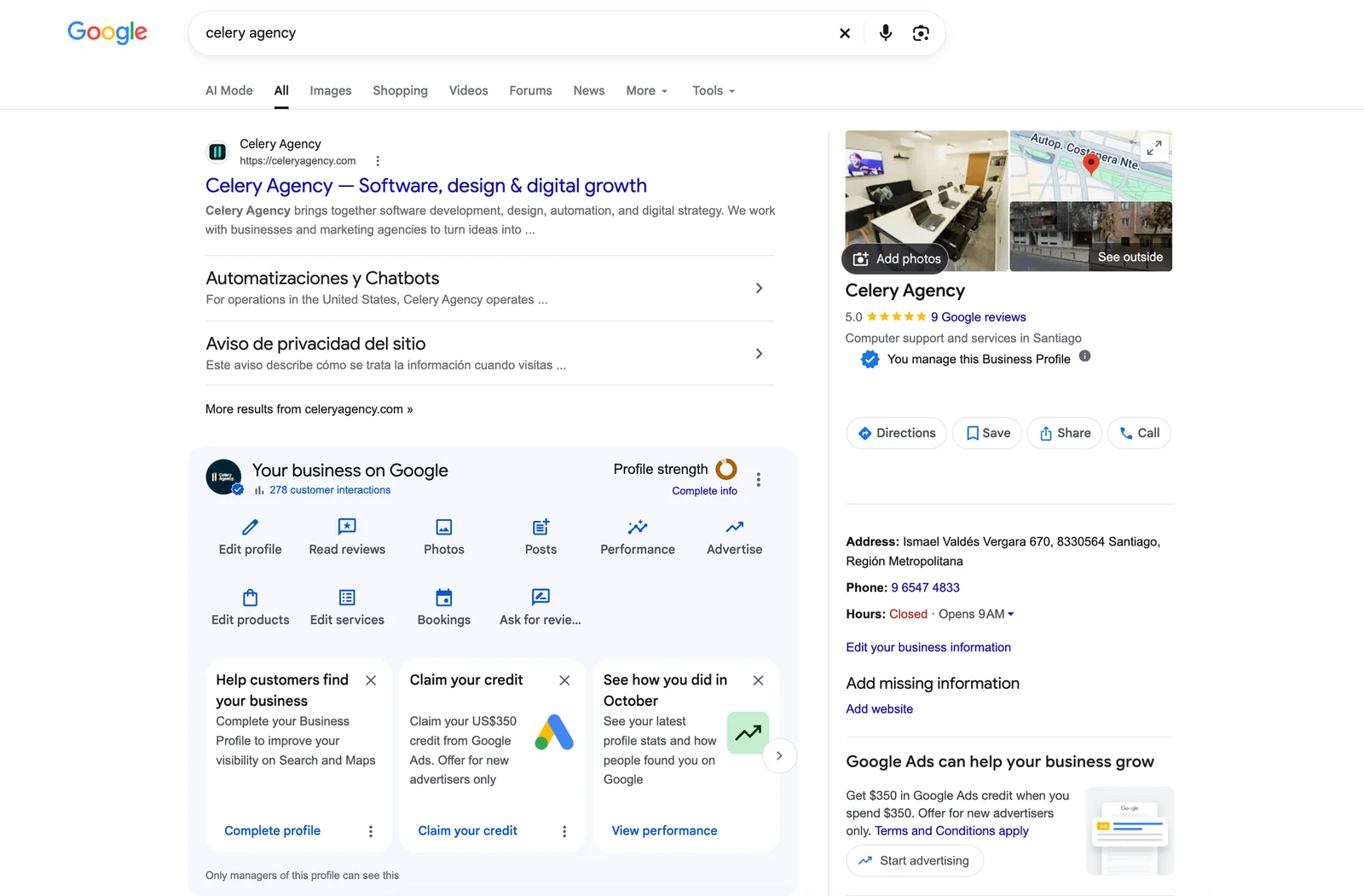
Google Business Profile lets you manage how an eligible business appears in Google Search and Google Maps.
It is especially useful for businesses that serve customers in person, such as restaurants, clinics, hair salons or retail stores.
ChatGPT Business Hub, on the other hand, is focused on managing business information within ChatGPT's discovery experiences.
Although some features are similar, they are not identical products.
| Feature | ChatGPT Business Hub | Google Business Profile |
|---|---|---|
| Claim a business | Yes, subject to eligibility | Yes, subject to eligibility |
| Update business information | Yes | Yes |
| Show business location | Depends on profile and availability | Yes, through Search and Maps |
| Manage Google reviews | No equivalent feature | Yes |
| Visibility insights | Mentions, clicks and topics | Google performance metrics |
| Product catalogs | Supported feeds | Commerce tools depending on category |
| Own conversational agent | Yes, for eligible businesses | No equivalent profile feature |
| Online-only businesses | Certain eligible businesses | Generally not eligible without in-person contact |
| Coverage | Depends on region, category and verification | According to policies and supported countries |
The comparison shows something important.
Google Business Profile continues to offer features tied to the Google Search and Maps ecosystem, including reviews and geographic presence.
ChatGPT Business Hub focuses on taking part in a conversational experience.
We should not consider them perfect substitutes.
For many businesses, the most reasonable approach may be to maintain an accurate presence on both platforms, as long as they are eligible.
Source: Google — Get started with Business Profile.
Can ChatGPT Business Hub kill Google Maps?
For now, there is not enough evidence to say so.
Google Maps continues to be a platform for navigation, finding places and looking up geographic information.
Google Business Profile, for its part, lets you manage the information that appears in Maps and Google Search, and it still has its own process to add or claim a profile.
ChatGPT introduces a different way to discover businesses, but that does not mean it has replaced features such as Google's navigation, reviews or location management.
The difference lies in the experience.
In Google Maps you can visually explore places and locations.
In ChatGPT you can ask questions in natural language and refine your needs during a conversation.
Both experiences can complement each other.
For example, someone could use ChatGPT to research restaurants and then turn to a map to decide how to get there.
The competitive landscape is real, but we should not confuse the arrival of an alternative with the disappearance of an established product.
How to register your business in ChatGPT Business Hub
If you have an eligible business, the process starts inside ChatGPT.
Step 1. Go to Business Hub
Sign in to the web version of ChatGPT with your account.
Look for Business Hub in the sidebar or go to its official page: chatgpt.com/business-hub.
The options available may vary depending on your account, country and type of business.
Step 2. Search for your business
Enter your business name to check whether there is a profile you can claim.
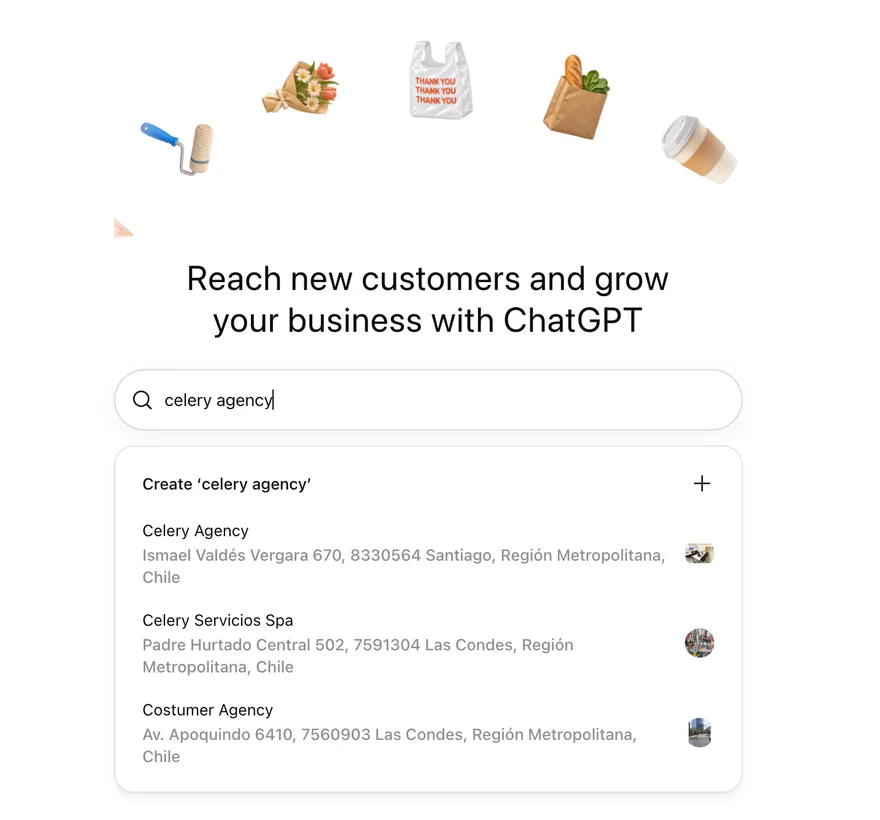
Select the result that matches your organization.
If it does not appear, whether you can create a new one will depend on the eligibility conditions and the options enabled.
Not every business can be added in every country.
Step 3. Confirm your relationship with the business
You must be the owner or an authorized representative.
Depending on the business, verification methods may be offered through business email, domain, phone or Shopify.
Not every method is available to every business.
Step 4. Complete the additional verification
To publish changes, view insights and access certain features, identity verification through Persona may be required.
The process may ask for official documents and information that proves your authorization.
Complete this verification only within the official process.
Step 5. Review and update the information
Once you have access to the corresponding features, check that the data is correct.
Pay special attention to the business name, website, category and description of services.
If you sell products, also review the available business information.
Step 6. Check the insights
After completing verification, you can access the available metrics.
Don't necessarily expect to see data right away.
The availability of insights may depend on the interactions recorded and on privacy requirements.
Step 7. Keep the information up to date
Review your business data regularly.
If you change prices, products or business terms, update the sources you manage.
Remember that changes may need review and are not necessarily reflected instantly.
If you want to see the process step by step from another perspective, Search Engine Journal published its own guide based on its observations; it is a third-party source, not OpenAI documentation.
Official guide: OpenAI — Setting up your business on ChatGPT.
Is ChatGPT Business Hub available in Chile?
This question is especially important for Latin American businesses.
According to the official announcement, eligible businesses located where ChatGPT is available can request to claim their profile through Business Hub.
But there are restrictions depending on the country, the business category and the verification methods.
In addition, Business Agents initially became available to certain e-commerce and online-service businesses in the United States.
So a Chilean business should not assume it will have every feature from the launch available.
There is also a difference between a digital agency that works exclusively online and a restaurant that receives customers in person.
The enabled categories and the ability to register new locations may vary.
The right way to check is to go to the official site, search for your business and review the options available in your account.
Using fake addresses or registering businesses in other countries to get around the restrictions is not advisable.
Is it free to register a business in ChatGPT?
The official documentation does not set subscribing to ChatGPT Enterprise or having an ads account as a requirement to claim an eligible business.
This means the claiming feature is not limited exclusively to large enterprise customers.
But it is worth distinguishing several things.
Claiming a profile, managing information, creating agents and promoting business experiences are different capabilities.
Some may have their own requirements, conditions or monetization models.
OpenAI also allows certain businesses to promote their Business Agents through clearly labeled advertising experiences.
So it is not accurate to claim that all of Business Hub's business features are free or unlimited.
Before using an additional option, review its current terms.
What does this mean for Shopify and WooCommerce stores?
For e-commerce, one of the most relevant aspects is catalog connection.
OpenAI announced integration mechanisms for certain Shopify merchants.
Eligible merchants can share product information, including prices and availability.
This could help people better understand products while researching options within ChatGPT.
However, not every store uses Shopify.
If your business is built on WooCommerce, you can look into the general options for supported product feeds, as long as they are available for your type of account and business.
That is not the same as claiming there is a native integration identical to the one announced for Shopify.
You should also consider the quality of the information.
A catalog with incorrect prices, unclear descriptions or outdated availability can cause confusion.
And even if you share the data correctly, there is no guarantee that ChatGPT will recommend your products.
Is Business Hub a new way of doing SEO?
In part, it represents a new channel for digital visibility.
For years, businesses have worked to appear in traditional search engines.
That includes optimizing their pages, structuring content, earning relevant links and keeping their local presence up to date.
With AI assistants, another question comes up:
"How do I get an artificial intelligence tool to find, understand and correctly represent my business?"
This interest has driven terms such as Generative Engine Optimization (GEO) and Answer Engine Optimization (AEO).
But it is important to avoid exaggerated promises.
There is no technique that guarantees appearing as the first recommendation in ChatGPT's answers.
Nor can we assume that claiming a business works like buying a featured position.
OpenAI states that ChatGPT continues to generate independent recommendations.
That is why Business Hub should be seen as part of a broader digital presence strategy, alongside the other artificial intelligence tools you already use.
What should businesses do from now on?
There is no need to abandon the tools that already work.
My recommendation is to start by organizing the information customers need to make decisions.
Keep your website up to date
Clearly explain what you offer, who you serve, where you operate and how people can contact you.
If your products have variable prices and availability, make sure you have mechanisms to keep the information up to date.
Review your Google Business Profile
If your business meets the requirements to use Google Business Profile, keep its information accurate.
There is no reason to abandon that channel just because a new platform has appeared.
Evaluate Business Hub
Check whether your business is eligible.
If it is, look into claiming the profile and completing the required verification.
Don't confuse visibility with sales
A brand being mentioned does not mean it has won a customer.
If you have insights available, analyze mentions, clicks and, where possible, the conversions measured in your own systems.
Prioritize useful information
Think about the real questions your customers ask.
For example, a clinic could explain its specialties, contact options and hours.
A store could publish accurate information about products, shipping and returns.
And a digital agency could clearly describe the services it offers and the types of projects it develops.
The goal is to make it easier for people to understand whether your business meets their needs.
Can businesses pay to appear first in ChatGPT?
There is no general guarantee of preferential ranking for claiming a profile.
OpenAI states that ChatGPT's independent recommendations are not determined by whether a business has claimed its profile.
There are also separate, clearly labeled advertising opportunities, such as the option to promote certain Business Agents.
The difference between the two experiences is important.
An independent recommendation is not the same as a paid promotion.
And taking part in Business Hub does not guarantee a specific number of clicks, sales or conversions.
The official documentation explicitly states that there are no guarantees regarding ranking or business results.
What about user privacy?
Business Hub lets businesses view aggregated information about certain interactions.
But OpenAI states that it does not share individual user conversations or chats held with Business Agents with businesses.
The data available in Insights is presented in aggregate and is subject to minimum activity requirements.
For example, a business can view metrics on mentions and general discovery topics.
That does not mean it has access to the private content of the conversations of people who used ChatGPT.
This distinction is important for understanding what kind of information business owners can view.
Frequently asked questions about ChatGPT Business Hub
What is ChatGPT Business Hub?
It is a tool for claiming and managing eligible business profiles in ChatGPT, updating certain information and viewing visibility insights.
Does ChatGPT Business Hub replace Google My Business?
No. Google My Business is now known as Google Business Profile and continues to operate within Google Search and Maps. Business Hub is a different tool from OpenAI.
How do I register my business in ChatGPT?
You need to go to Business Hub, search for your business, request the profile and complete the corresponding verification processes. Eligibility depends on your business and location.
Can I register my business in Chile?
Certain eligible businesses can request their profile where ChatGPT is available, but the options depend on category, location and verification. You should check which features are enabled for your business.
Do I need to pay for ChatGPT Business to use Business Hub?
The official documentation states that you do not need to be a ChatGPT Enterprise customer or have an ads account to claim an eligible business. Business Hub should also not be confused with the ChatGPT Business plan.
What is a Business Agent?
It is a conversational agent that represents a business and answers questions using information provided by that business. Its initial availability is limited to certain e-commerce and online-service businesses in the United States.
Can I see who is asking about my business?
Business Hub offers certain aggregated insights, but it does not give businesses access to users' private conversations.
Will I appear first if I verify my business?
No. OpenAI does not guarantee better ranking, mentions, traffic or sales for claiming a profile.
Can products from an online store be connected?
Yes, certain eligible businesses can share supported product feeds. The availability of options and integrations depends on the corresponding requirements.
Will Google Business Profile stop being useful?
There is no evidence to support that conclusion. It remains relevant for business presence within Google Search and Maps.
Conclusion: ChatGPT hasn't killed Google Business Profile, but it has just opened another channel for businesses
The launch of Business Hub shows that businesses' digital presence is evolving.
Businesses no longer have to think only about how they appear on Google.
They also need to understand how their information is presented when people use artificial intelligence assistants to discover products and services.
ChatGPT Business Hub introduces tools to manage profiles, provide business information and analyze certain interactions.
Google Business Profile, for its part, continues to offer a well-established infrastructure for local search, maps and reviews.
For now, both platforms can play complementary roles.
The opportunity for businesses is not to abandon one and bet everything on the other.
It is to make sure their information is accurate, up to date and useful to people, regardless of where they start their search.
Because the technology used to find a business may change.
But the customer's need remains the same: to find a reliable solution for what they are looking for.
About the author
Rafael Azuaje is a computer engineer with experience in web development and UX/UI design. He shares educational content about artificial intelligence, automation and technology, with a particular interest in how new tools are transforming the way people and businesses use the internet.
Article updated on November 18, 2026. Business Hub is in beta, and its features, requirements and availability may change.