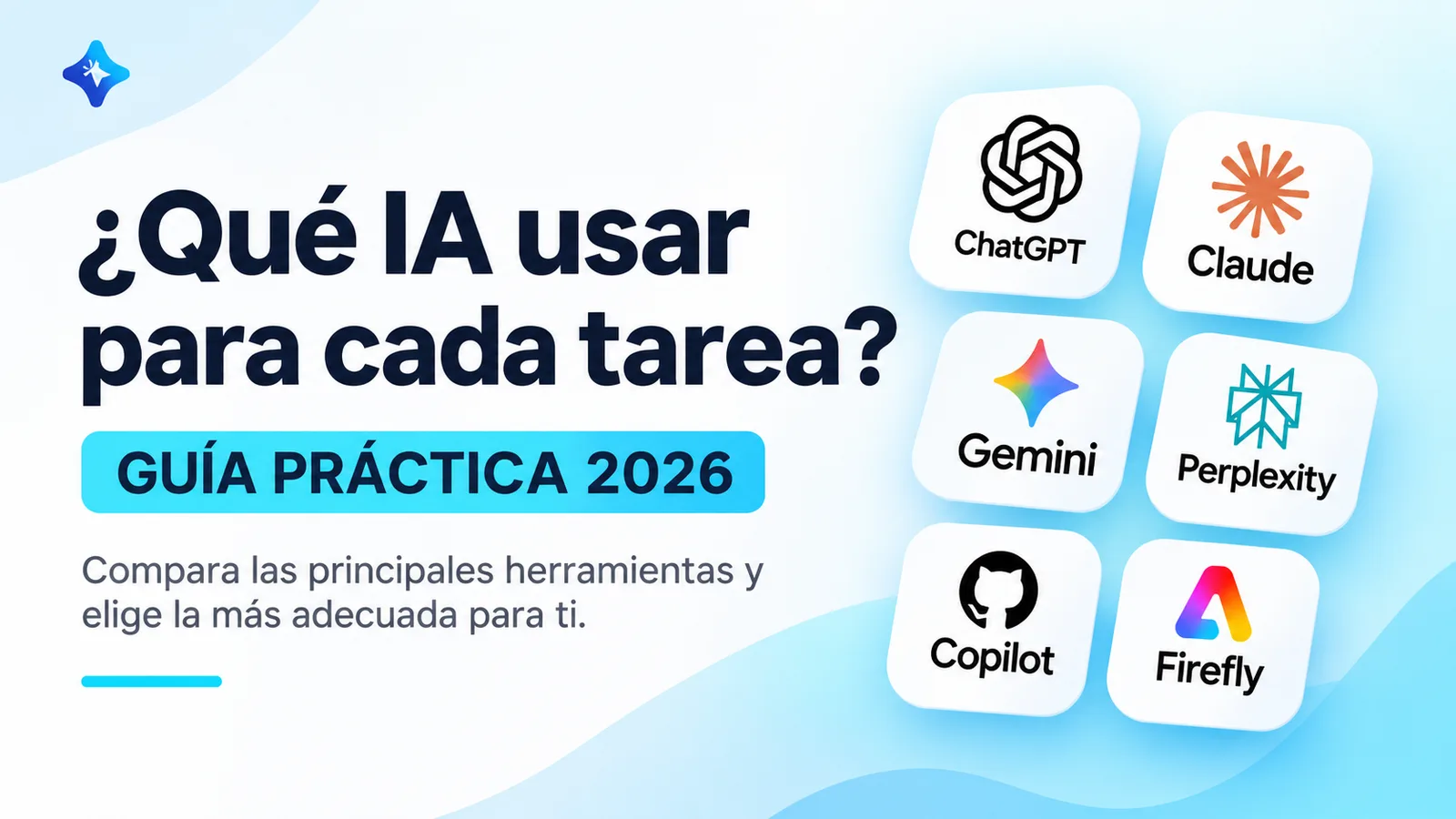
You open Instagram and someone tells you ChatGPT is the best artificial intelligence.
Five minutes later, you find a video claiming that Claude is much better.
Then someone shows up recommending Gemini, Perplexity or a new tool that promises to do in seconds what used to take hours.
And you end up with fifteen open tabs, five new accounts and the same question:
Which of all these AI tools do I actually need?
The answer is simpler than it seems: it depends on what you want to do.
You don't need to pay for ten subscriptions or learn every platform that comes out each week.
What matters is understanding what each tool is for, what its limitations are and how to choose the right one to solve a specific problem.
In this guide, we'll compare some of the main artificial intelligence tools available in 2026 and look at how to use them to write, research, study, code, design images, create videos and automate processes.
Is there one AI that's the best at everything?
No.
And I'd be wary of any comparison that claims otherwise without explaining how the tests were done.
AI tools are evolving quickly. A platform that only generated text a few years ago may now include browsing, file analysis, image generation and task automation.
On top of that, different products can use similar models yet offer completely different experiences.
For example, one AI assistant may be excellent at conversation and explaining concepts, while another is built right into your code editor.
Even if both can write code, working with them won't necessarily feel the same.
That's why, before choosing, it's better to ask yourself:
What task do I need to get done, and how important is it that the result be accurate, editable or verifiable?
Asking for birthday party ideas is not the same as analyzing a contract or changing an app that thousands of people use.
Quick summary: which AI to use for each task
If you're just getting started and don't want to read all the comparisons yet, this table will help you get your bearings.
| What you need to do | Tools you can consider |
|---|---|
| Write, learn and get answers to questions | ChatGPT, Claude, Gemini |
| Research with sources | Perplexity, ChatGPT Deep Research, Gemini Deep Research |
| Study documents and notes | NotebookLM, ChatGPT, Claude |
| Code and modify projects | Claude Code, GitHub Copilot, Codex |
| Create images with AI | ChatGPT Images, Adobe Firefly |
| Design social media posts | Canva, Adobe Firefly |
| Generate videos with AI | Runway, Gemini video tools |
| Create voiceovers and voices | ElevenLabs |
| Automate tasks | n8n combined with AI models |
These are options to evaluate, not winners proven by an independent test.
For some tasks, you'll find several tools capable of delivering similar results.
The final choice also depends on which ones you have access to and how much you're willing to pay.
1. ChatGPT: a versatile option for getting started with artificial intelligence
If you've never used artificial intelligence, ChatGPT can be a good starting point.
It lets you have conversations, write texts, explain concepts and work with different types of information.
For example, you can use it to understand an Excel formula, draft a professional email, analyze a document or develop ideas for a post.
It also offers research, file analysis, and image generation and editing capabilities, depending on the features enabled on your account.
OpenAI's official documentation describes these possibilities on its ChatGPT capabilities page.
What would I use it for?
Mainly to learn new concepts, organize information, prepare drafts and solve problems that need several rounds of explanation.
For example, you could write:
"Explain what an API is as if I had never written code. Use an online store as an example and then ask me three questions to check whether I understood."
The difference from a traditional search is that you can keep the conversation going and ask for clarification.
You can also work with supported files, images and documents.
What are its limitations?
It can make mistakes and present incorrect information with apparent confidence.
If you ask it about recent news, a law or a product's current features, it's important to use verifiable sources.
You also shouldn't assume it can automatically access your apps or private files.
I'd choose it if: you want a general-purpose assistant to study, write, analyze information and handle everyday tasks.
2. Claude: an interesting alternative for documents and projects
Claude is the assistant developed by Anthropic.
It can be used to write, analyze documents, work with code and create certain resources through its supported features and tools.
One of its offerings is Artifacts, a space for creating and editing items such as documents, presentations, designs and small apps.
Anthropic explains these capabilities on its official Claude Artifacts page.
What would I use it for?
I'd consider it especially when you need to work on a document and go through several revisions.
Imagine you're preparing a business proposal.
You can ask it to organize the information, point out unclear sections and suggest a structure that's easier to understand.
Then you can request changes without having to rebuild the whole document.
It's also an option for working on software projects, although in that case it's worth distinguishing between Claude as a conversational assistant and Claude Code as a development tool.
Is it better than ChatGPT for writing?
There's no universal answer.
Both can produce good writing, and both need to be reviewed.
The quality will depend on the instructions, the model used, the context and how you evaluate the result.
Instead of choosing one because someone said it writes in a more human way, try the same assignment in both.
Compare clarity, accuracy, ability to follow instructions and ease of editing.
I'd choose it if: you often work with documents, long projects or resources that need several revisions.
3. Gemini: an option for research and working within the Google ecosystem
Gemini is Google's family of artificial intelligence assistants and models.
Its app lets you ask questions, analyze information and use multimodal capabilities.
It also offers Deep Research, a feature designed for research that needs to consult different sources and generate reports.
According to the official Gemini Deep Research documentation, it can use information from Google Search and, when integrations are available and authorized, certain personal sources.
When does it make sense to use Gemini?
For example, when you need to research a topic, work with information from different sources or take advantage of integrations available within your Google environment.
But you should check which apps are connected and what permissions they have.
Having a Gmail account doesn't mean any Gemini conversation can access all of your emails.
Practical example
You could ask for research on the renewable energy technologies that are growing in Latin America.
Then you'd review the report, check the sources and separate documented trends from predictions.
I'd choose it if: you already use Google services or want to explore an alternative for research and multimodal assistance.
4. Perplexity: for research with links to sources
One of the most common challenges when researching with artificial intelligence is checking where the information comes from.
Perplexity focuses on combining searches with synthesized answers and references to the sources it consulted.
Its Pro Search feature lets you dig deeper into complex questions using different sources and presents references so you can review them.
The platform explains how this works in What Is Pro Search?.
In what situations is it useful?
Imagine you need to research:
"What significant advances in electric vehicle batteries have been announced this month?"
Instead of just getting a general answer, you can use Perplexity to find publications related to the topic and explore their references.
However, there's something you should never forget.
An answer having citations doesn't automatically make it correct.
A source may be outdated, misinterpret a study or not exactly support the claim being made.
That's why it's always a good idea to open the links and check the dates and the original content.
Is it better than ChatGPT for research?
It depends on the process.
Perplexity can be convenient for finding and exploring sources.
ChatGPT and Gemini also have advanced research features.
For important tasks, the ideal approach is to compare the quality of the sources and the accuracy of the report, not just the number of links generated.
I'd choose it if: your priority is finding information, cross-checking sources and discovering documents related to a topic.
5. NotebookLM: for studying with your own documents
Imagine you have to study a 200-page manual.
You could paste excerpts into a chatbot and ask questions.
But there's another option: using a tool designed to work with a specific collection of sources.
NotebookLM, Google's tool for working with study and research materials, lets you add documents and other supported formats.
For example, you can add PDFs, documents, text files and certain links.
The official NotebookLM documentation explains the supported source types and their limitations.
What is it for?
Let's say you're studying artificial intelligence and you have five documents about language models.
You can organize them in a notebook and ask questions about their content.
This can help you compare explanations, identify concepts and prepare review materials.
The advantage is that the system works with a collection of sources you've selected.
But that doesn't guarantee it will always interpret the documents correctly either.
An example for students
You can ask:
"Explain the differences between supervised and unsupervised learning using only the documents I added. Tell me which ones explain each concept."
Then you can check the references.
I'd choose it if: you need to study, understand or compare documents you already have.
6. Claude Code, Codex and GitHub Copilot: AI for coding
Programming is one of the areas where artificial intelligence is changing the way people work.
But there's an important difference between asking a chatbot to write a function and using an assistant connected to a real project.
Tools like Claude Code, Codex and GitHub Copilot let you work on tasks related to software development.
Their features and environments are different.
GitHub Copilot
It's built into development workflows and can help you write code, understand a repository, review changes and work on tasks.
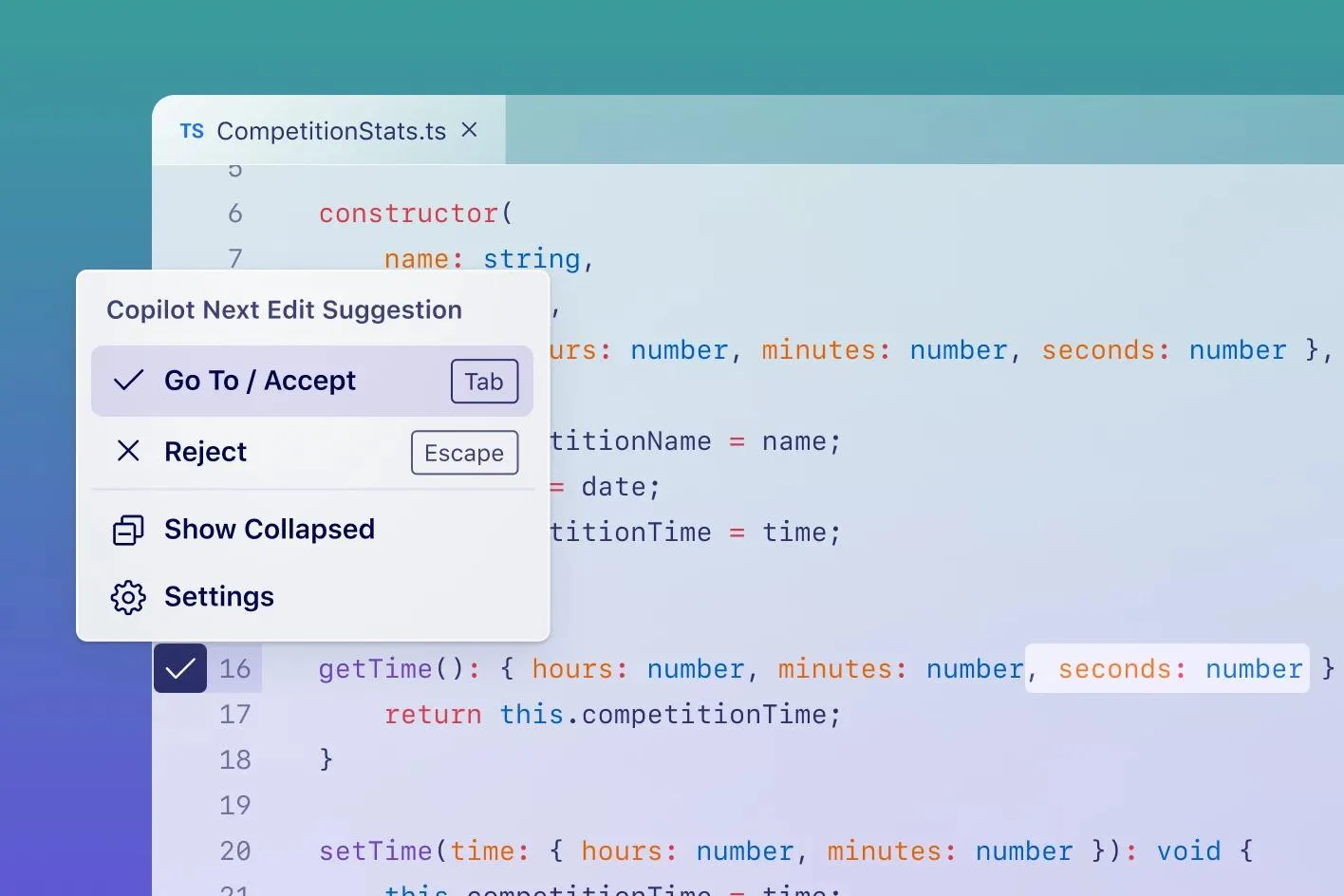
The official GitHub Copilot documentation describes these capabilities.
It can be especially handy when you're constantly working inside an editor or repository.
Claude Code
Claude Code is designed to work with software projects, analyze files and carry out development tasks through authorized tools.
It can be used to investigate bugs, make changes and review implementations.
But you should review the changes it proposes and check that the result works.
Codex
Codex offers AI-assisted programming capabilities for working with code and projects, depending on the environment available.
It can help implement features, review files and solve development problems.
As with other tools, the result should be validated through testing.
Which one should you choose?
If you're learning to code, I'd start with an assistant that explains the code to you and helps you understand each change.
If you work inside an IDE every day, GitHub Copilot can be a convenient option.
If you need to make changes that involve several files or understand an entire project, you can evaluate agentic tools like Claude Code and Codex.
I wouldn't measure their quality just by how many lines of code they produce.
What matters much more is whether they understand the requirements, avoid breaking features and let you verify the result.
7. ChatGPT Images and Adobe Firefly: for generating images
Image generation is another area with many tools.
You can describe a scene and get a visual draft without having to draw it from scratch.
But not every generated image is suitable for every use.
ChatGPT Images
It lets you create images from descriptions and make edits using natural language instructions.
For example, you can ask for a blog cover with specific colors, a particular composition and space for a title.
You can also ask for changes to an existing image.
The final quality depends on the request, the reference material and the system used.
Adobe Firefly
Adobe Firefly brings together tools for generating and editing images and video.
Its documented features include image generation, editing through instructions and creating visual assets.
You can check out its capabilities in Adobe Firefly Overview.
Which one is best to use?
If you want to explore ideas through a conversation, you can start with ChatGPT.
If you work within a creative workflow that uses Adobe tools, Firefly may be a convenient choice.
In both cases, review the results before publishing them.
Generated images can contain incorrect details, misspelled text or inconsistent visual elements.
You should also check the commercial use terms that apply to your account and the model used.
I'd use them for: article covers, illustrations, visual concepts and creative proposals.
8. Canva: for designing posts without starting from scratch
Generating an image and designing a post aren't exactly the same thing.
A post may need several pieces of text, a visual identity, a logo and a layout that works well at different sizes.
Canva offers AI-assisted design tools, including Magic Design.
According to its official documentation, Magic Design helps create design proposals from ideas and assets that you can then customize.
What would I use it for?
To create Instagram carousels, presentations, banners and graphics that need frequent changes.
For example, you could use an AI-generated image as a background and then build the post in Canva.
This lets you edit the text, adjust the composition and export different formats.
That's an important difference compared to working with only a final image.
I'd choose it if: you want to create editable visual posts, especially when you need to maintain a brand identity.
9. Runway: for creating videos with artificial intelligence
If you want to turn an idea into an animated scene, there are tools specialized in video generation.
Runway is one of them.
Its Gen-4.5 model lets you generate video from text or images, with different format options depending on the mode available.
The official Runway Gen-4.5 documentation describes its capabilities and restrictions.
When does it make sense to use it?
Imagine you need a short video to present a tech idea.
You could generate a scene of a data center, a futuristic device or a visual representation of a digital network.
Then you'd add that clip into a more complete edit.
It's especially useful for producing certain visual assets that would be difficult or expensive to film.
But generating video doesn't necessarily mean getting a finished piece ready to publish.
You may need several generations, editing, music, subtitles and fixes.
What should you keep in mind?
Clip length, resolution and credits used can depend on the model and the plan.
Also, video generation systems can produce continuity errors between scenes.
I'd choose it if: you need to generate specific scenes or visual clips to complement an audiovisual production.
10. ElevenLabs: for AI-generated narration and voices
Let's say you already have the script for a video, but you need narration.
ElevenLabs offers text-to-speech tools.
You can enter a script, select a voice and generate a voiceover.
The platform also has different options for creating and customizing voices.
Its Text to Speech documentation explains the process.
Practical example
You're preparing a two-minute video about the risks of using the same account to sign in to multiple services.
You write the script and use ElevenLabs to generate a narration.
Then you edit the audio, check the pronunciation of technical terms and sync it with the video.
Does it replace a professional voice actor?
It can be a practical alternative for certain projects.
However, the delivery, the naturalness and the result depend on the voice, the model and the settings used.
You must also respect the relevant rights and permissions when working with cloned voices.
I'd choose it if: you need voiceovers, narration or synthetic voices for audiovisual content.
11. n8n: for connecting tools and automating processes
So far, we've mainly talked about tools that produce answers or content.
But what if you want several apps to work together?
For example, when you receive a contact form, a record is automatically created in your CRM and a reply is prepared.
This is where automation platforms come in.
n8n lets you build workflows by connecting different services and operations.
It can also bring in artificial intelligence models to interpret information and take part in decision-making processes.
Practical example
Imagine you have a small business.
A customer fills out a form requesting a quote.
An n8n workflow could receive the information, validate it, create a contact in the CRM and send a notification to the sales lead.
If you add AI, the system could also classify the request or prepare a draft reply.
But you don't need to use AI for every step.
In fact, operations that follow clear rules can usually be handled with traditional automations.
I'd choose it if: you want to connect apps and automate processes, especially when you need to combine conventional rules with AI features.
AI tools comparison
This table summarizes what we covered for each tool, based on its official documentation. It's not a ranking or the result of my own tests.
| Tool | What it's for | I'd choose it if |
|---|---|---|
| ChatGPT | Writing, learning, analyzing files, researching and creating images | You want a general-purpose assistant for everyday tasks |
| Claude | Writing, analyzing documents and creating resources with Artifacts | You work with documents or projects that need several revisions |
| Gemini | Multimodal assistance and research with Deep Research | You already use Google services or want research reports |
| Perplexity | Searches with answers and references to sources | Your priority is finding and cross-checking sources |
| NotebookLM | Studying and querying your own documents | You need to understand or compare documents you already have |
| Claude Code, Codex, GitHub Copilot | Coding and modifying software projects | You develop software and can test the changes |
| ChatGPT Images, Adobe Firefly | Generating and editing images | You need covers, illustrations or visual concepts |
| Canva | Designing editable pieces with Magic Design | You want editable posts with your brand identity |
| Runway | Generating video clips from text or images | You need specific scenes for a production |
| ElevenLabs | Converting text to speech and creating narration | You need voiceovers for audiovisual content |
| n8n | Connecting apps and automating processes | You want to combine conventional rules with AI features |
How many AI tools do you really need?
Probably fewer than you think.
If you use AI to study, write emails and answer questions, you can start with a single general-purpose assistant.
If your work involves researching information, you can add a tool specialized in search or documents.
If you create visual content, you may need an image generator and a design tool.
And if you develop software, it may make sense to add an assistant connected to your programming environment.
But paying for lots of subscriptions before you know what you need is rarely a good strategy.
My recommendation is to start with a task you do often and evaluate whether a tool actually helps you do it better.
How to choose an AI without getting swept up by online recommendations
Before paying for a platform, use these five criteria.
1. Define exactly what you want to achieve
Saying "I want to use AI for marketing" is not the same as saying "I want to prepare three draft posts a week."
The second goal is much easier to evaluate.
2. Check whether the tool can do it
Review the official documentation.
Don't rely only on promotional videos or social media recommendations.
Some features may only be available on certain plans, in certain countries or on certain platforms.
3. Run the same test in different tools
If you're comparing two writing assistants, give them the same document and ask for the same result.
Then compare their answers using specific criteria.
Don't decide based only on which one uses fancier words.
4. Evaluate how much work you have to fix
A tool may generate a result in thirty seconds, but if you need half an hour to fix it, the real time savings may be small.
Consider accuracy, ease of editing and the number of errors.
5. Review the total cost
Don't look only at the monthly price.
Consider usage limits, credits, API costs, storage and add-on features.
An inexpensive tool can end up being costly if you need several external integrations.
Three examples of useful AI combinations
For students
You can use NotebookLM to organize study documents and an assistant like ChatGPT, Claude or Gemini to practice explanations and questions.
But you should always check important information against the original material.
For content creators
You can research with Perplexity, ChatGPT or Gemini; prepare a script with a writing assistant; create images with ChatGPT Images or Firefly; design the post in Canva; and generate a voiceover with ElevenLabs.
You don't need to use all these platforms for every post.
For developers
You can use a conversational assistant to understand a problem, work with Claude Code, Codex or GitHub Copilot to implement changes, and run tests to verify the result.
The goal shouldn't be to produce more code automatically, but to build software that works correctly.
The most common mistakes when getting started with AI tools
Believing the most popular tool is always the best
Popularity doesn't prove that an AI is better at every job.
Look for evidence related to your task.
Thinking a well-written answer is necessarily correct
A text can sound professional and still contain errors.
If you work with important data, verify the sources.
Sharing sensitive information without reviewing the terms of service
Before uploading client documents, personal data or business information, check the privacy policies and the controls available.
Trying to automate everything from day one
Automation works best when the process is clearly defined.
If you don't know how a task should be done, you're probably not ready to fully delegate it yet.
Relying on AI without understanding the result
A tool can generate code, images or reports, but you need to learn to evaluate their quality.
That ability to review is especially important when the work has real consequences.
Frequently asked questions
What is the best artificial intelligence in 2026?
No tool is universally better for every task. ChatGPT, Claude and Gemini offer general-purpose features, while other platforms specialize in research, design, coding, voice or automation.
Which artificial intelligence can I use for free?
Various platforms offer free tiers, trials or limited access. The terms change often, so it's a good idea to check their official pages before signing up.
Which AI is best for college assignments?
You can evaluate ChatGPT, Claude, Gemini and NotebookLM. If you work with specific notes and documents, NotebookLM can be especially useful. No tool replaces checking sources or your own learning.
What is the best AI for creating images?
ChatGPT Images and Adobe Firefly are alternatives worth comparing. The choice depends on the type of image, the editing control and the publishing requirements.
Which AI can I use to code without knowing how to program?
AI assistants can help you build prototypes and learn the fundamentals. However, to develop reliable systems you need to understand how applications are run, tested, maintained and secured.
Do I need to pay for ChatGPT, Claude and Gemini at the same time?
Not necessarily. Start with the tool that best handles your frequent tasks and consider others when you identify a specific need.
Can I combine several AI tools?
Yes. For example, you can use one platform to research, another to create images and a third to prepare audiovisual material.
Can AI tools replace professionals?
They can automate or speed up certain tasks, but that's not the same as replacing every function of a profession. The impact depends on the activities, the context and the actual capabilities of the systems.
Conclusion: you don't need the best AI, you need the right one
Every week, new tools appear that promise to change the way we work.
Some represent interesting advances. Others offer features very similar to the ones we already had.
That's why I believe learning artificial intelligence shouldn't be about memorizing platform names.
It's more important to understand what problem you want to solve.
If you need to do research, look for a tool that lets you verify the information.
If you want to create images, evaluate the visual quality and the editing options.
If you're going to develop software, prioritize testing and the ability to understand the code.
And if you need to automate a process, start by defining it properly.
The tool you use today might not be the same one you use a year from now.
But the ability to analyze a problem, choose a solution and verify the result will remain valuable.
It's not about using more artificial intelligence. It's about learning to use it better.
About the author
Rafael Azuaje is a computer engineer with experience in web development and UX/UI design. He shares educational content about technology, artificial intelligence and automation, with a practical focus on helping people who are just starting out use these tools with sound judgment.
This article was written using official documentation consulted in November 2026. Features and access terms may change.